Media buyers are still spending too much time on work they’ve already done before.
Open Meta. Check pacing. Open Google. Compare yesterday with the day before. Pull an attribution report. Find the campaign that moved. Update a spreadsheet. Send it to the team. Phew.
Media buying might be responsible for millions of dollars in spend… and yet, a surprising amount of the job still comes down to moving between tabs and trying to catch performance changes before they become expensive.
Automation can give media buyers tons of that precious time back.
Moby, Triple Whale’s AI operator for ecommerce, is designed to help you automate the repetitive parts of the media-buying job — while letting you stay in control (and get time back to do what you do best).
Now, before you tune out to the tune of “AI” and “automation,” thinking: There’s no way I know how to set up something like that. Don’t worry — here are three practical ways to get started with media buying automation.
1. Turn your media-buying strategy into an automation
Your strategy may live in a formal playbook, a spreadsheet, a set of naming conventions, or the lead buyer’s head. Either way, it usually contains the same basic ingredients — the goal, the metric that matters, etc.
Applying those rules consistently across every campaign is tough. You know, for example, that a campaign can be considered for more budget after it clears a new-customer ROAS target, spends enough to produce a reliable signal, and stays within an agreed cost threshold.
A Moby Automation turns your operating logic into a recurring workflow — just like that. On the schedule you choose, it can review the relevant performance data, apply the rules and guardrails you defined, surface the campaigns that need attention, explain the evidence, and queue recommended Actions for review.
Here’s an easy way to turn strategy into automation.
Automate the decisions that repeat most often
The strongest first use case is usually a decision the team makes every day or every week.
That might include:
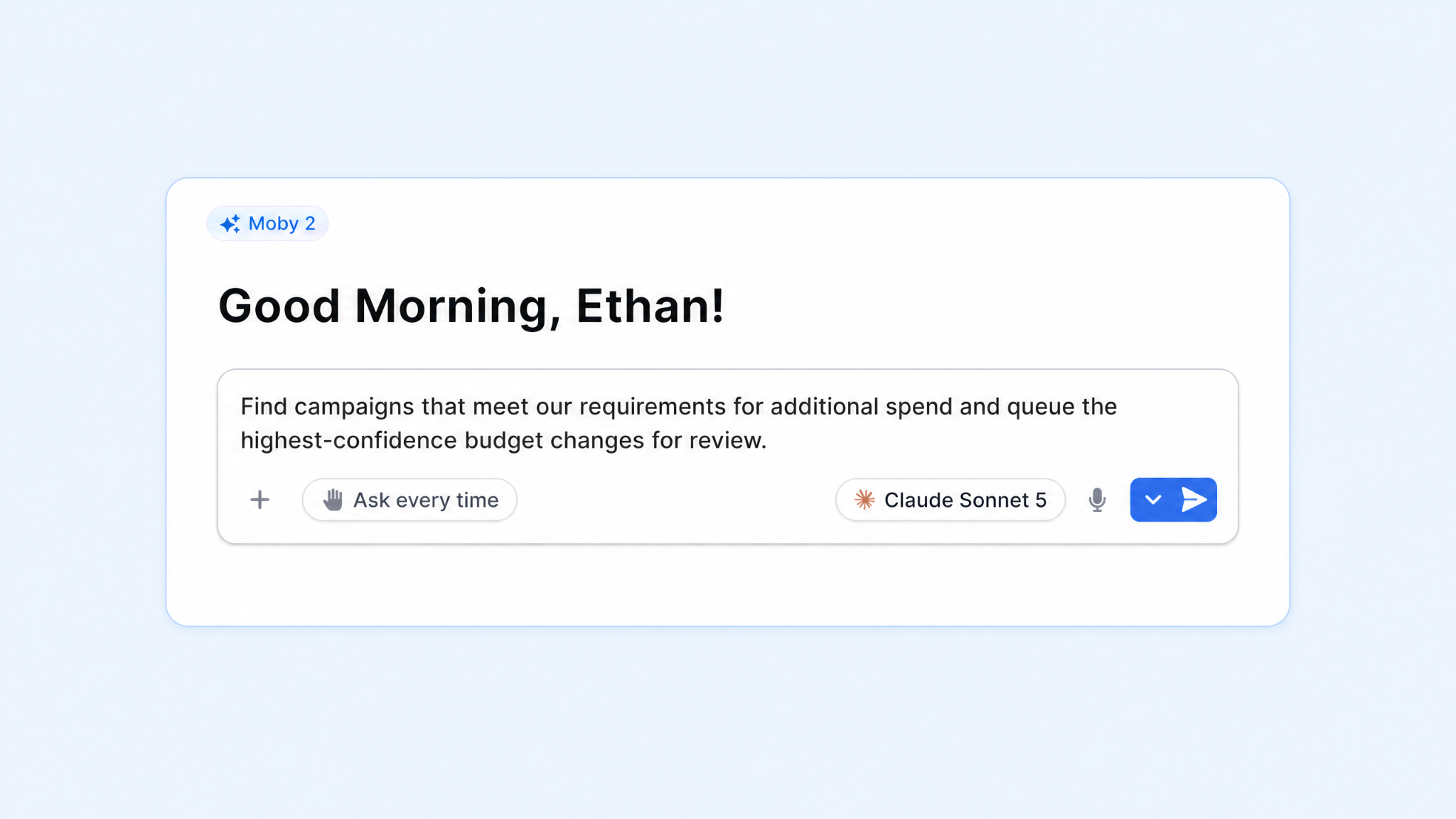
Finding campaigns that qualify for additional spend
Flagging spend that is not producing enough attributed revenue
Surfacing campaigns that have moved outside the team’s efficiency guardrails
That could look like:
Use your existing strategy
Start with the rules your team already follows: The metric that controls each decision, the minimum spend or conversion volume required before acting, the evaluation window, the size of an allowed budget change, and the campaigns included or excluded.
For example, your strategy might say to review Meta prospecting campaigns daily, consider a 15% budget increase when seven-day new-customer ROAS exceeds its target after enough spend, and flag campaigns for review when efficiency falls below the team’s threshold.
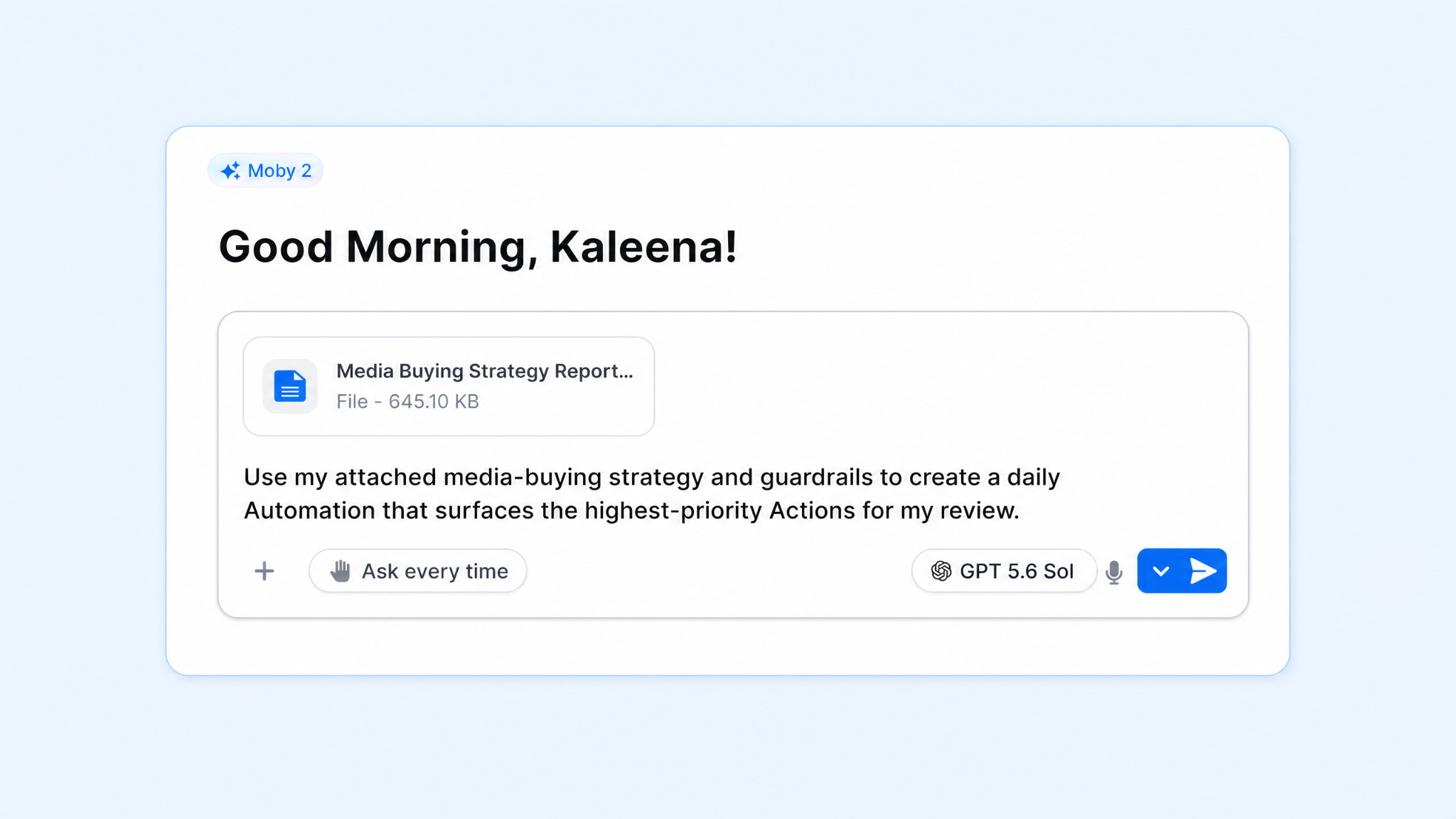
Share those rules, targets, and guardrails with Moby. It can turn them into a recurring workflow that reviews the specified campaigns on your chosen schedule, shows which conditions were met, explains what needs attention, and queues the corresponding budget Actions for your approval.
For example:
Start with a goal if the rules are not yet documented
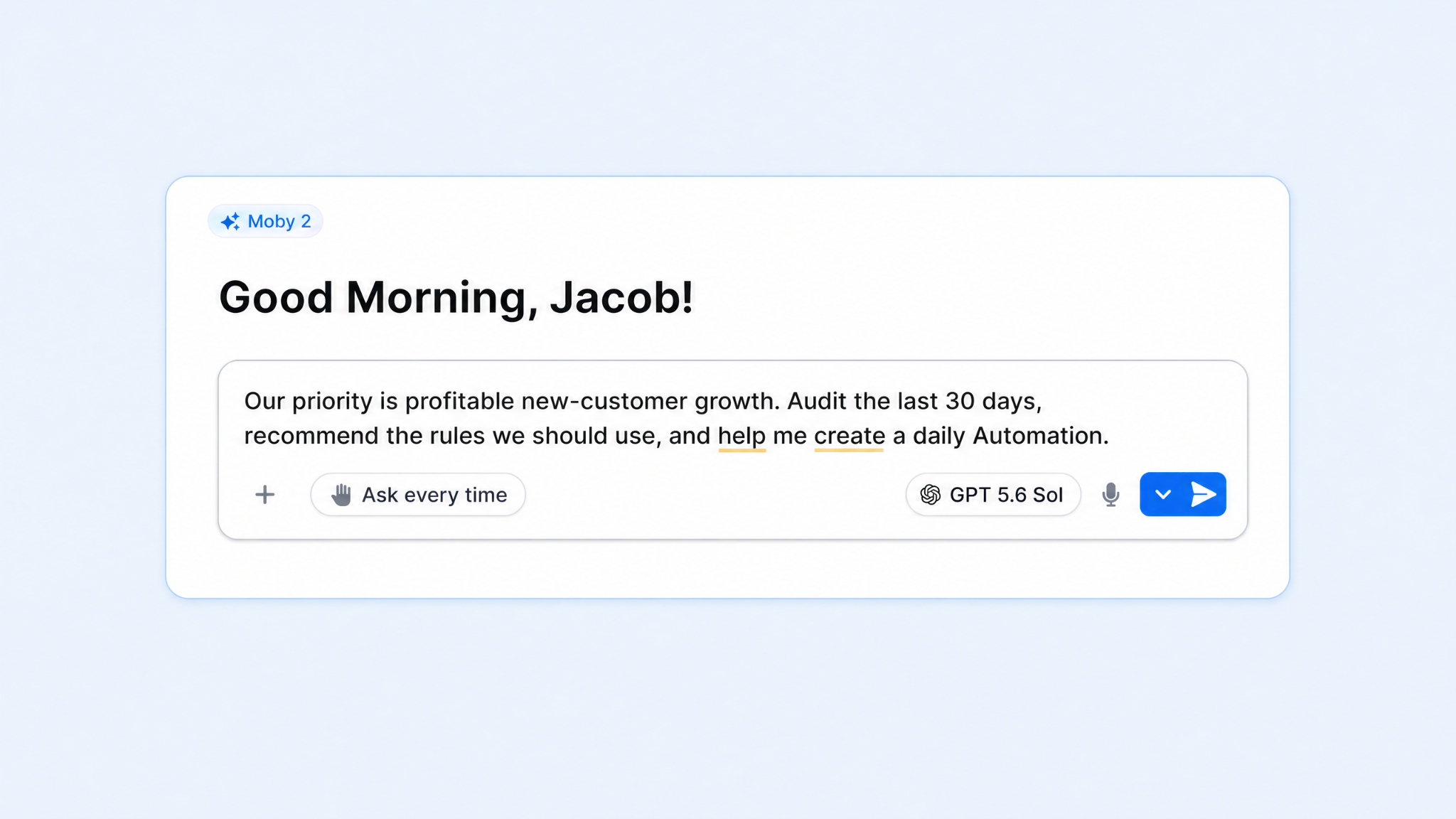
You may know what you want to achieve, but you haven’t translated that goal into a clear operating policy. Maybe you’re focused on profitable new-customer growth, protecting contribution margin, or staying on pace for the month.
Moby can help turn the objective into decision-making. It can:
Analyze recent performance
Show how channels and campaigns have behaved
Recommend a starting set of rules for the team to refine.
Once you agree on the important stuff — metric, threshold, review window, action size, and scope — those choices can become an Automation.
Reporting is one of the clearest examples of necessary work becoming repetitive work.
Data has to be pulled from the same sources, organized into the same views, compared with the same prior period, and rewritten for the same audience. By the time the report is ready, the person who built it may have little time left to act on it.
Tell Moby what the report should include, how often it should run, and where it should go. Here’s exactly how to get a consistent view without rebuilding the analysis every time.
Begin the day with a media-buying brief in your inbox
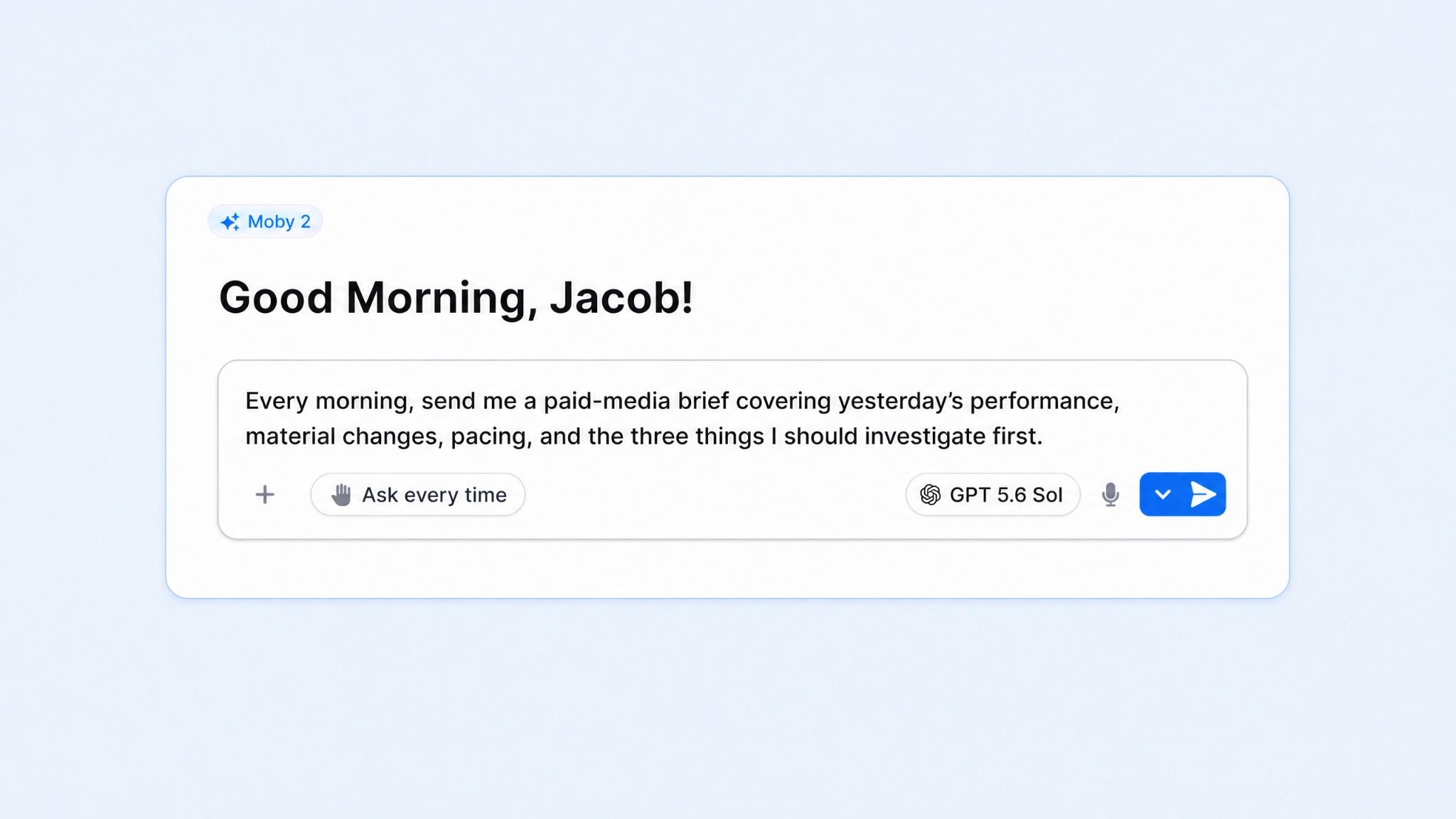
A daily brief should be actionable — telling you exactly where to look first.
That could include yesterday’s spend and attributed revenue, material changes in efficiency, pacing against the monthly plan, campaigns that crossed a threshold, and the few items that deserve investigation.
Get started like this:
Make the weekly report consistent
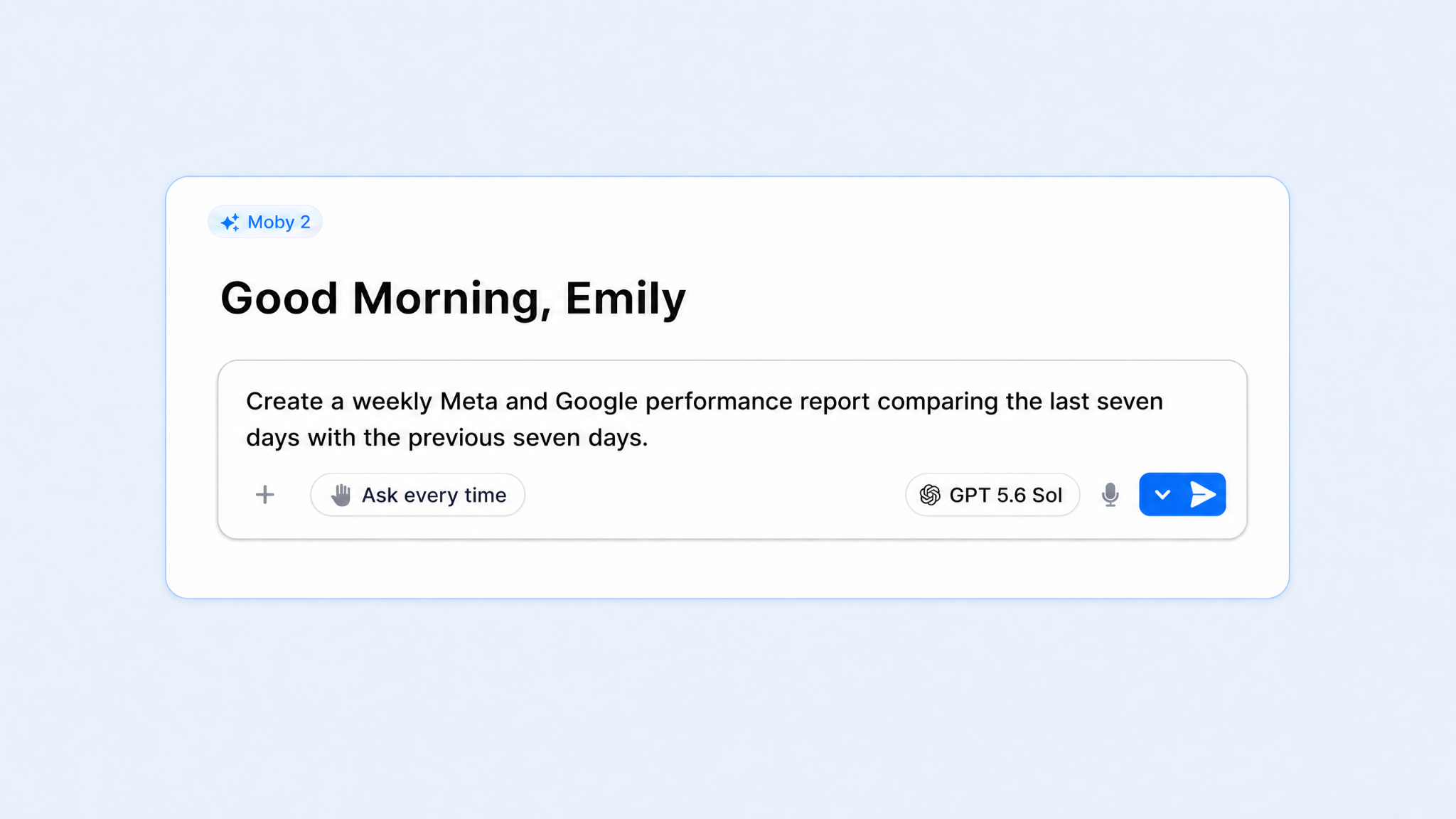
Weekly reporting often creates a different problem: The numbers are familiar, but the interpretation changes depending on who built the deck or how much time they had.
A recurring Moby report can compare the last seven days with the previous seven days using the same sources and definitions each week. It can cover spend, attributed revenue, new-customer efficiency, channel performance, and the campaigns responsible for the most important changes.
The report can also separate an observed change from a recommended next step, which makes it easier for your team to discuss the evidence before deciding what to do.
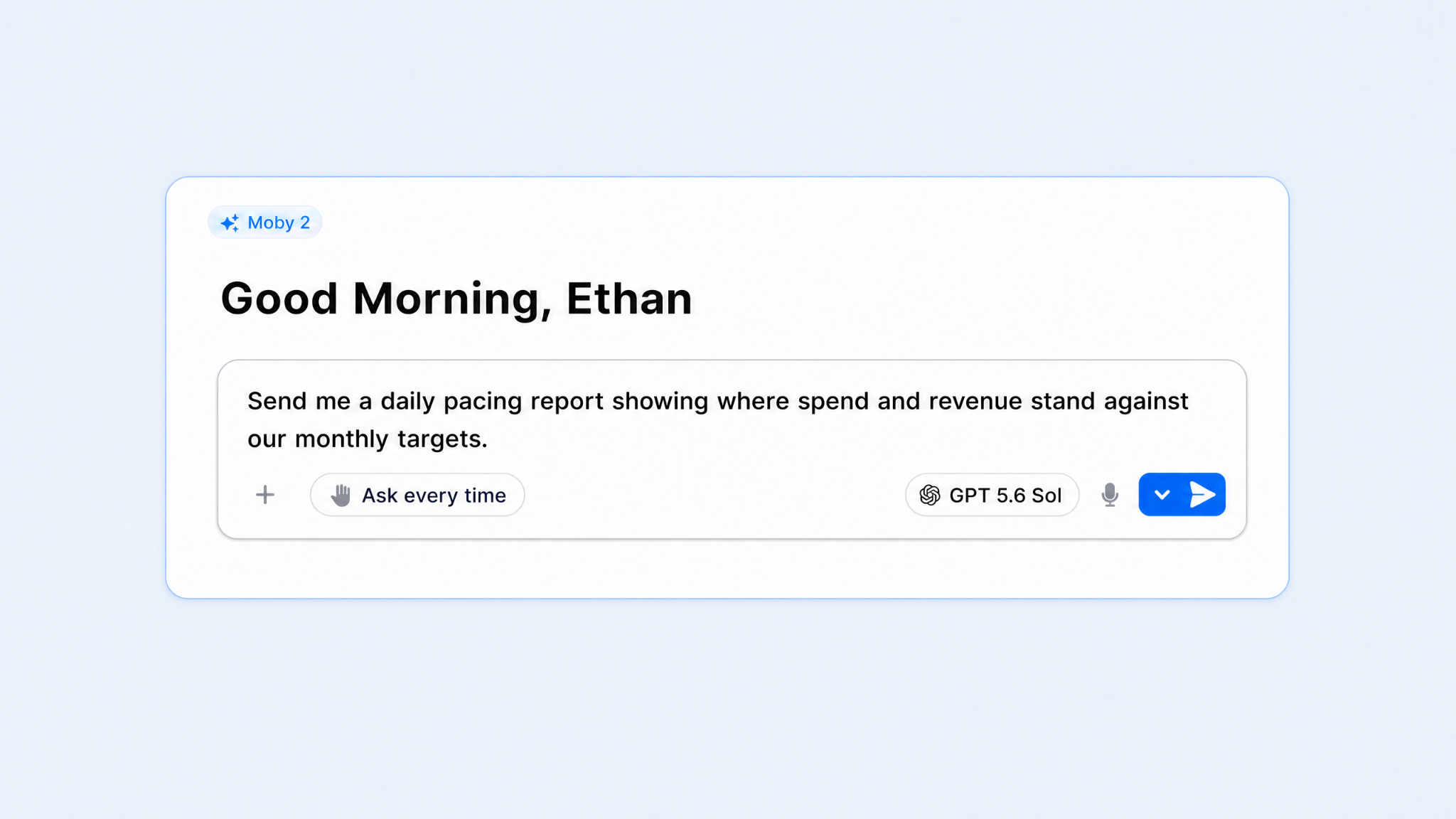
Pacing is easy to understand and surprisingly easy to lose track of. A channel can drift above plan over several days, or underspend while the team assumes it will catch up later.
A daily pacing report can compare actual spend and revenue with the monthly target, show the required pace for the remaining days, and flag channels that are ahead or behind.
For example:
3. Use Moby as your daily problem-solving partner
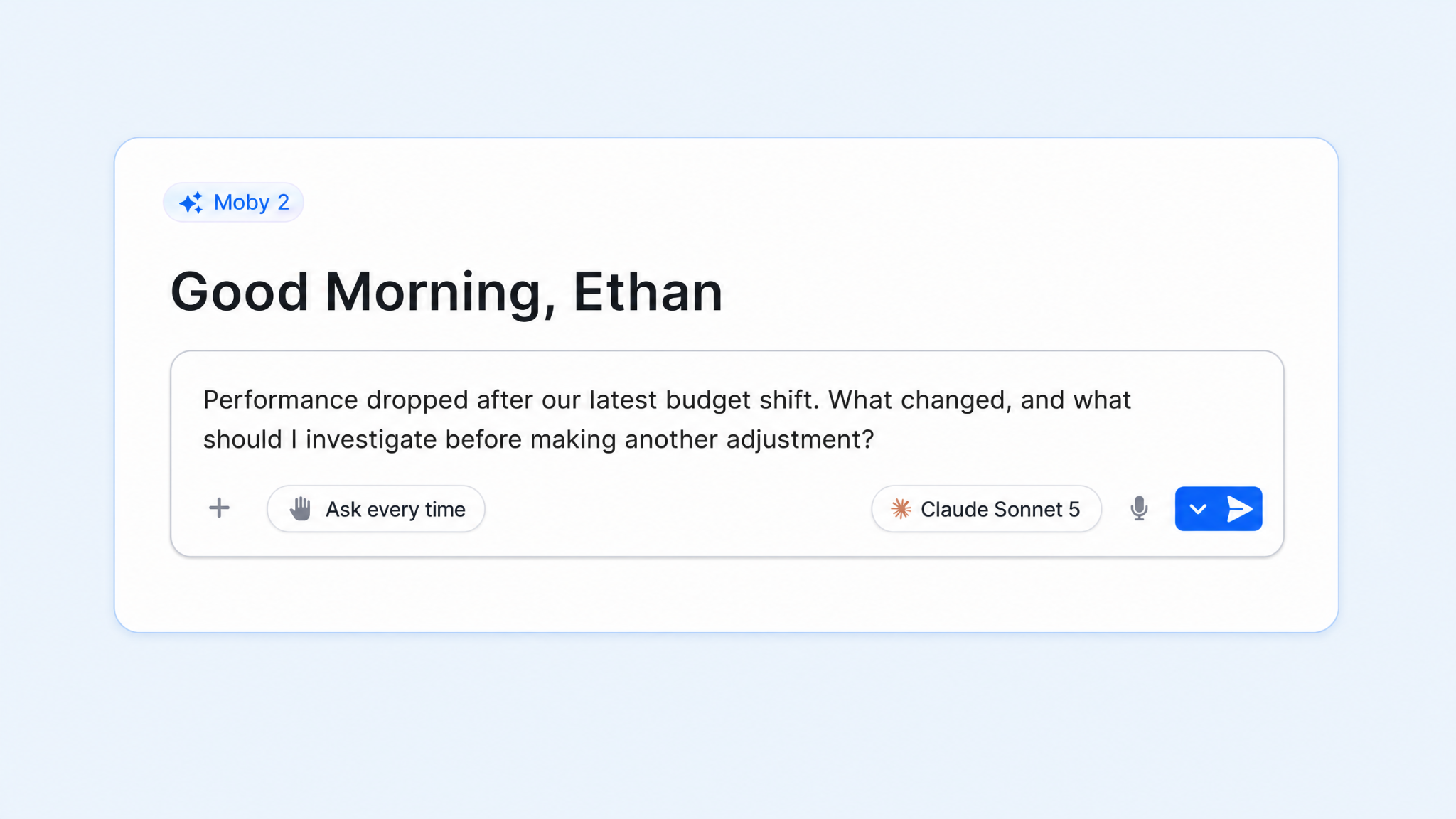
Not every media-buying question should become an Automation. Some problems are irregular, like when performance drops after a budget shift.
These situations require exploration (nope, not a workflow). Moby can help you move from a broad question to the part of the account where the answer is most likely to be found.
Audit the account or pressure-test the strategy
An account audit can uncover lots of opportunities. The output should be a focused review tied to your team’s metrics, time period, and source of truth.
Moby can organize the findings by impact, show the campaigns and metrics behind each one, and identify where the evidence is not strong enough to support a change.
You might ask:
Understand why performance changed
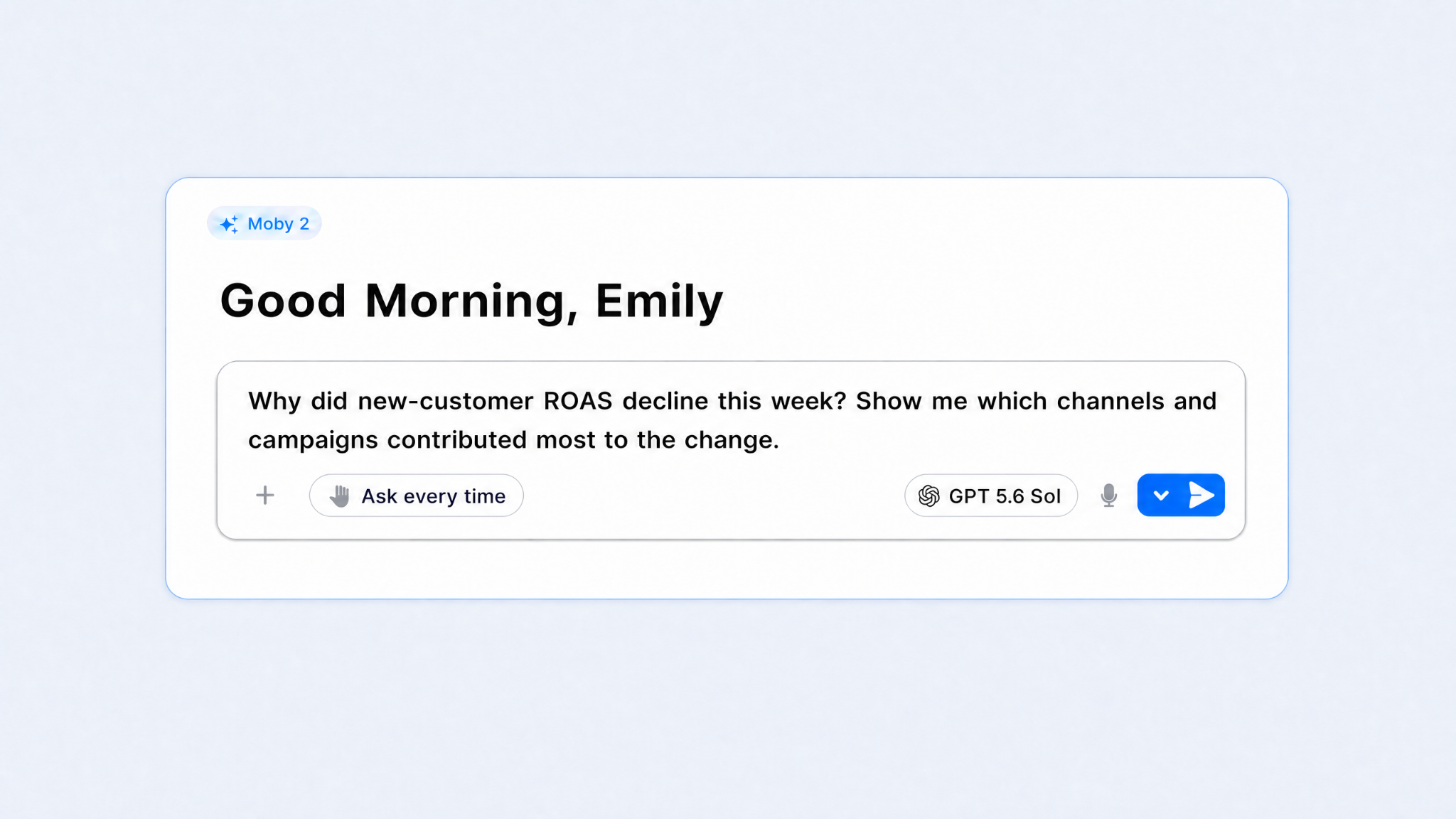
A blended metric can tell you that performance moved without telling you where the movement came from. The next step is breaking it down — what contributed most to the change?
Instead of manually working down that chain, you can begin with the business question. Moby will help you narrow in on the investigation, helping you reach the evidence — and next step — much faster.
Dive deeper with Moby:
Work through unexpected problems as they happen
Media-buying decisions interact and cause chain reactions. For example, raising a budget can change delivery. Or, a creative launch can shift spend across campaigns. Moby gives you a place to test those explanations against the available data before making another change.
Media buying will always require good (human) judgment. The market changes, the platforms change, and two campaigns with similar numbers can still call for different decisions because the business context is different.
What does not need to remain manual is the busy work surrounding that judgment. That is where Moby gives media buyers like you a ton of leverage and time back in their schedule — while you steer the goals and make the calls.
Start with one recurring task that consumes more time than it should. Turn the strategy behind it into a clear workflow. Once that workflow is useful and trusted, automate the next one. That’s it.
Media buyers are still spending too much time on work they’ve already done before.
Open Meta. Check pacing. Open Google. Compare yesterday with the day before. Pull an attribution report. Find the campaign that moved. Update a spreadsheet. Send it to the team. Phew.
Media buying might be responsible for millions of dollars in spend… and yet, a surprising amount of the job still comes down to moving between tabs and trying to catch performance changes before they become expensive.
Automation can give media buyers tons of that precious time back.
Moby, Triple Whale’s AI operator for ecommerce, is designed to help you automate the repetitive parts of the media-buying job — while letting you stay in control (and get time back to do what you do best).
Now, before you tune out to the tune of “AI” and “automation,” thinking: There’s no way I know how to set up something like that. Don’t worry — here are three practical ways to get started with media buying automation.
1. Turn your media-buying strategy into an automation
Your strategy may live in a formal playbook, a spreadsheet, a set of naming conventions, or the lead buyer’s head. Either way, it usually contains the same basic ingredients — the goal, the metric that matters, etc.
Applying those rules consistently across every campaign is tough. You know, for example, that a campaign can be considered for more budget after it clears a new-customer ROAS target, spends enough to produce a reliable signal, and stays within an agreed cost threshold.
A Moby Automation turns your operating logic into a recurring workflow — just like that. On the schedule you choose, it can review the relevant performance data, apply the rules and guardrails you defined, surface the campaigns that need attention, explain the evidence, and queue recommended Actions for review.
Here’s an easy way to turn strategy into automation.
Automate the decisions that repeat most often
The strongest first use case is usually a decision the team makes every day or every week.
That might include:
Finding campaigns that qualify for additional spend
Flagging spend that is not producing enough attributed revenue
Surfacing campaigns that have moved outside the team’s efficiency guardrails
That could look like:
Use your existing strategy
Start with the rules your team already follows: The metric that controls each decision, the minimum spend or conversion volume required before acting, the evaluation window, the size of an allowed budget change, and the campaigns included or excluded.
For example, your strategy might say to review Meta prospecting campaigns daily, consider a 15% budget increase when seven-day new-customer ROAS exceeds its target after enough spend, and flag campaigns for review when efficiency falls below the team’s threshold.
Share those rules, targets, and guardrails with Moby. It can turn them into a recurring workflow that reviews the specified campaigns on your chosen schedule, shows which conditions were met, explains what needs attention, and queues the corresponding budget Actions for your approval.
For example:
Start with a goal if the rules are not yet documented
You may know what you want to achieve, but you haven’t translated that goal into a clear operating policy. Maybe you’re focused on profitable new-customer growth, protecting contribution margin, or staying on pace for the month.
Moby can help turn the objective into decision-making. It can:
Analyze recent performance
Show how channels and campaigns have behaved
Recommend a starting set of rules for the team to refine.
Once you agree on the important stuff — metric, threshold, review window, action size, and scope — those choices can become an Automation.
Reporting is one of the clearest examples of necessary work becoming repetitive work.
Data has to be pulled from the same sources, organized into the same views, compared with the same prior period, and rewritten for the same audience. By the time the report is ready, the person who built it may have little time left to act on it.
Tell Moby what the report should include, how often it should run, and where it should go. Here’s exactly how to get a consistent view without rebuilding the analysis every time.
Begin the day with a media-buying brief in your inbox
A daily brief should be actionable — telling you exactly where to look first.
That could include yesterday’s spend and attributed revenue, material changes in efficiency, pacing against the monthly plan, campaigns that crossed a threshold, and the few items that deserve investigation.
Get started like this:
Make the weekly report consistent
Weekly reporting often creates a different problem: The numbers are familiar, but the interpretation changes depending on who built the deck or how much time they had.
A recurring Moby report can compare the last seven days with the previous seven days using the same sources and definitions each week. It can cover spend, attributed revenue, new-customer efficiency, channel performance, and the campaigns responsible for the most important changes.
The report can also separate an observed change from a recommended next step, which makes it easier for your team to discuss the evidence before deciding what to do.
Pacing is easy to understand and surprisingly easy to lose track of. A channel can drift above plan over several days, or underspend while the team assumes it will catch up later.
A daily pacing report can compare actual spend and revenue with the monthly target, show the required pace for the remaining days, and flag channels that are ahead or behind.
For example:
3. Use Moby as your daily problem-solving partner
Not every media-buying question should become an Automation. Some problems are irregular, like when performance drops after a budget shift.
These situations require exploration (nope, not a workflow). Moby can help you move from a broad question to the part of the account where the answer is most likely to be found.
Audit the account or pressure-test the strategy
An account audit can uncover lots of opportunities. The output should be a focused review tied to your team’s metrics, time period, and source of truth.
Moby can organize the findings by impact, show the campaigns and metrics behind each one, and identify where the evidence is not strong enough to support a change.
You might ask:
Understand why performance changed
A blended metric can tell you that performance moved without telling you where the movement came from. The next step is breaking it down — what contributed most to the change?
Instead of manually working down that chain, you can begin with the business question. Moby will help you narrow in on the investigation, helping you reach the evidence — and next step — much faster.
Dive deeper with Moby:
Work through unexpected problems as they happen
Media-buying decisions interact and cause chain reactions. For example, raising a budget can change delivery. Or, a creative launch can shift spend across campaigns. Moby gives you a place to test those explanations against the available data before making another change.
Media buying will always require good (human) judgment. The market changes, the platforms change, and two campaigns with similar numbers can still call for different decisions because the business context is different.
What does not need to remain manual is the busy work surrounding that judgment. That is where Moby gives media buyers like you a ton of leverage and time back in their schedule — while you steer the goals and make the calls.
Start with one recurring task that consumes more time than it should. Turn the strategy behind it into a clear workflow. Once that workflow is useful and trusted, automate the next one. That’s it.
Body Copy: The following benchmarks compare advertising metrics from April 1-17 to the previous period. Considering President Trump first unveiled his tariffs on April 2, the timing corresponds with potential changes in advertising behavior among ecommerce brands (though it isn’t necessarily correlated).


 Moby AIAsk questions, analyze performance, and work with your business context.
 ActionsTake governed action across the tools that run your business.
 AutomationsSchedule recurring analysis and work that runs on your terms.
 Landing PagesCreative conversion-focused ecommerce pages with Moby.
 Creative StudioGenerate and refine creative grounded in your brand.


.png)










.webp)

.webp)
