
Ecommerce businesses are readily integrating AI agents into their operations. Many are moving past simple chatbots to systems that can think, decide, and act within the limits you set. Unlike traditional automation tools that follow rigid scripts, intelligent ecommerce AI agents can adapt to complex situations using your order, customer, and ad data.
AI-driven ecommerce is here, and the best AI agent depends on your workflow and tech stack. If you’re an ecommerce brand, you should start with one job, such as order-status questions, and add more once the results hold.
This guide evaluates the top AI agents for ecommerce and compares their capabilities, setup, and pricing to help you choose the right solution for your business.
Key Takeaways
- An AI agent uses your business data and connected tools to work toward a goal across several steps. It works within the permissions you set, and some agents ask for approval before they act.
- The best AI agents depend on the job. Moby works well for business intelligence and actions, and Shopify Sidekick helps with store tasks. For customer support, look at Gorgias, Fin, Zowie, and Ada. Salesforce Agentforce suits large teams that already use Salesforce.
- Start with one job, such as order-status questions or a weekly performance check. Set a baseline, test with real examples, and keep a person in charge of approvals. Expand only after the results hold.
What are AI agents for ecommerce?
An AI agent for ecommerce plans the steps to reach a goal and carries them out in your store and ad tools. It often draws on order, customer, and ad data. You set the limits and permissions, adding approval steps if needed.
Here’s an example. A shopper asks, “Where’s my order?” The agent finds the order in your store, checks the tracking page, and writes the reply. If the order is lost, it hands the case to your team. Autonomy with AI agents varies. Some agents only suggest steps, while others take action on their own, without asking for approval.
What makes an AI agent “agentic”:
- Autonomy. They operate independently and make decisions without human guidance.
- Adaptability. They learn from each interaction and improve over time.
- Goal-oriented behavior. They work toward specific outcomes like increasing sales or resolving customer issues.
- Environmental awareness. They understand context from customer data, inventory levels, and business processes.
The difference between agentic AI and generative AI is crucial for ecommerce businesses. While generative AI creates content based on prompts, agentic AI for ecommerce takes autonomous action to complete complex agentic workflows and solve problems in real time.
AI agents vs. assistants vs. rule-based automation
People often mix up AI agents, AI assistants, and rule-based automation. This table shows how each tool type takes input, picks steps, and acts.
| Type | How it gets input | How it picks steps | How it acts |
|---|---|---|---|
| Rule-based automation | A set trigger, such as a new order | Follows fixed rules you write | Runs the same steps every time. It breaks when something unexpected happens. |
| AI assistant | A question or prompt from a person | Suggests an answer or a draft | A person does the work |
| AI agent | A goal plus business data | Plans the steps itself | Acts through connected tools, often with approval |
Some chat tools are agents. Take a close look at what each tool can do for your business, rather than judging it by how it looks.
Why AI agents matter for ecommerce
Ecommerce teams are small, and the work never stops. Shoppers ask about orders at night, while ad numbers can change on weekends. And someone has to watch inventory, returns, and reports.
AI agents take on repeat work. They answer common questions, watch key numbers, and flag problems early. That gives your team more time for choices that need human judgment, like pricing, creative, and customer care.Recent research shows strong interest in AI agents:
- In a 2026 NVIDIA survey, 47% of retail and consumer goods respondents said they use or are assessing agentic AI, while 20% said AI agents are already active at their company.
- Nearly 68% of 330 retail executives in Deloitte’s 2026 outlook expect to use agentic AI for key operations within 12 to 24 months.
- McKinsey estimates that the B2C retail market in the US could see up to $1 trillion in orchestrated revenue from agentic commerce by 2030, with global projects reaching between $3 trillion and $5 trillion.
Most ecommerce brands are still early with AI agents. A small workflow lets your team start with very low risk.
Note that agents don’t fit every job. They work best on tasks with clear steps, good data, and a clear point where a person steps in.
Best AI agents for ecommerce at a glance
The best AI agents for ecommerce are Moby AI, Gorgias AI Agent, Zowie, Ada, Agentforce, TechMonk, Glide, Livex.ai, Intercom, and Tidio Lyro.
| Tool | Best for | What it can do | Setup and approval | Pricing and limits |
|---|---|---|---|---|
| Moby AI | Merchant data and actions | Answers store and ad questions. On Automate, runs recurring workflows and campaign changes within guardrails. | Needs Triple Whale data. “Ask every time” waits for your approval. | Free plan available, with Foundation, Automate, and Enterprise plans available. Book a demo to see pricing. |
| Gorgias AI Agent | Shopify support + customer journey | Cancels unfulfilled orders, edits addresses, swaps items, refunds price differences, and reships. Sends a Loop link for returns. | Needs Gorgias and Shopify. Hands off unsure or sensitive requests to your team. | $10/mo for Starter (50 tickets), $60/mo for Basic (300 tickets), $360/mo for Pro (2,000 tickets), and $900/mo for Advanced (5,000 tickets). Additional features such as Voice and SMS cost extra. |
| Zowie | Support automation | Runs guided returns, exchanges, and refunds, with policy checks and labels. | Needs Shopify, Stripe, and Loop or Frate. Routes by channel and hours, then hands off to your Zowie inbox or helpdesk. | Custom pricing |
| Ada | Multi-language customer support (60 supported languages) | Handles order tracking, returns, and exchanges. API Actions can check return eligibility before a refund. | Needs Shopify or Salesforce. Rules send hard requests to live chat or ticketing. | Custom pricing |
| Salesforce Agentforce | Enterprise workflows with commerce | Shopper Agent guides shoppers from discovery through checkout and after-purchase service. | Needs Salesforce and Agentic Commerce Search. | Free plan available, followed by Flex Credits that start at $500 per 100,000 credits. Needs a Salesforce investment. |
| TechMonk | Sales chat | Product discovery, recommendations, incentives, and cart recovery. | Includes a human-agent module. | Custom pricing |
| Glide | No-code builds | Builds custom apps, such as customer service and inventory monitoring. Not ecommerce specific. | Connects to data sources such as Google Sheets. | Free plan available, followed by Basic at $25/mo (100 credits), Plus at $50/mo (250 credits), Pro at $125/mo (500 credits), and Enterprise with custom pricing. |
| Livex.ai | Shopping personalization | Recommends products, guides purchases, recovers carts, and helps with orders. | Lists Shopify. | Custom pricing |
| Intercom Fin | Support on top of your current helpdesk | Reads Shopify order status and tracking. You can set up procedures for refunds and order changes. | Connect your Shopify store. | Essential is $29/mo per seat and $0.99 per outcome, Advanced is $85/mo per seat and $0.99 per outcome, Expert is $132/mo per seat and $0.99 per outcome, and Fin AI Agent (without Intercom helpdesk) is $0.99 per outcome. |
| Lyro | Small Shopify teams | Checks order status with a Simple Action once Shopify is connected. Smart Actions call APIs that you set up. | Needs the Tidio Shopify app and widget. | Core starts at $39/mo for 50 AI conversations, Plus starts at $300/mo with custom AI conversations, and Premium has custom pricing. |
How we compared these agents
We compared each tool with the same criteria. We focused on company documentation, pricing pages, and public vendor material. This focused on:
- Tasks the agent completes
- Access to ecommerce data
- Integrations
- Setup effort
- Handoff to a person
- Cost model
- Limits
Note: We did not personally test each of the vendors below. We assessed the above information and ranked it based on what we found.
AI agents by ecommerce use case
Moby AI for merchant intelligence and action
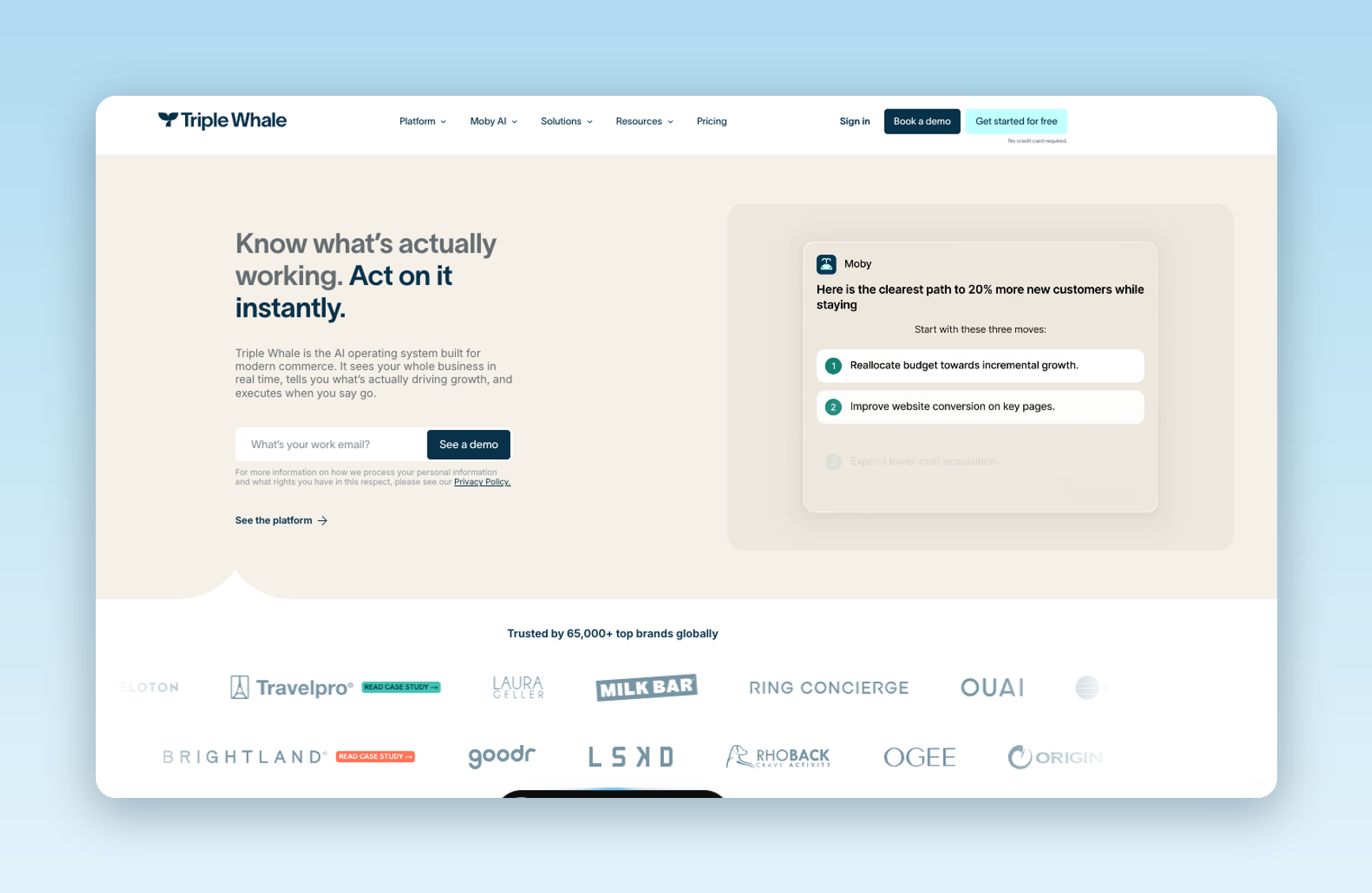
Moby AI is Triple Whale’s AI for ecommerce and merchant data. It helps ecommerce brands and agencies that want answers about store and ad performance, plus help acting on what they find.
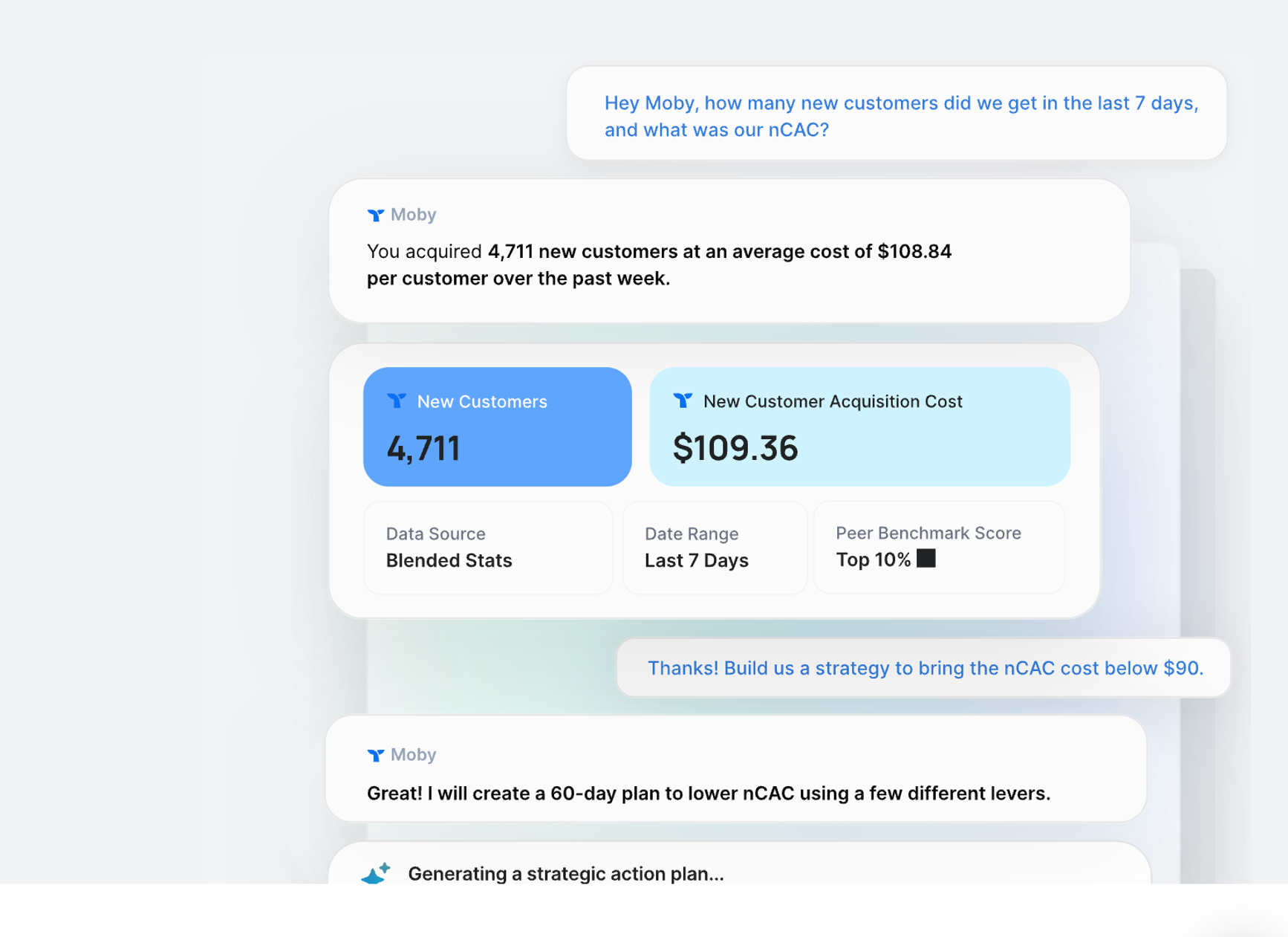
What it can do: Moby works on top of Triple Whale’s fully managed data warehouse, which puts data from all your tools into one format. You ask a question in plain language, and Moby answers from your connected data.
Moby Actions let you run supported tasks, while Moby Automations lets you run tasks on a schedule and choose how much approval you want. On the Automate plan, Moby can also run recurring workflows and campaign actions, such as changing budgets or status, within guardrails.
Used for:
- Real-time business intelligence and anomaly detection
- Advanced forecasting and demand planning
- Cross-channel performance optimization
- Automated inventory decisions and supply chain insights
- Custom analytical workflows and reporting
Data and setup: Connect your store and ad accounts to Triple Whale first
Approval and handoff: You can review and approve Moby actions before they run. In an automation, “Ask every time” waits for your approval. “Let Moby decide” acts within the mode you pick. Actions you request in Moby Chat need your confirmation.
Pricing: Free plan available, with Foundation, Automate, and Enterprise plans available as you scale
Limits:
- Moby works best when your data is connected to Triple Whale
- Recurring workflows and campaign actions need the Automate plan
- Higher price point may not suit very small businesses
Ratings: G2, 4.5
Best for: Data-driven ecommerce brands and agencies looking for business intelligence and help action on it.
Gorgias for customer support

Gorgias’s AI Agent is specifically designed for ecommerce brands, with a deep Shopify integration and the ability to handle complex customer service and sales tasks autonomously.
What it can do: The AI agent can cancel unfulfilled Shopify orders, edit shipping addresses, swap or remove items, refund price differences, and reship orders. For returns and exchanges, it can send a Loops Returns link. Subscription actions need extra setup, such as Recharge. You set its brand voice and policies.
Used for:
- Automated customer support across email, chat, and contact forms
- Order management and subscription handling
- Product recommendations and sales assistance
- Revenue generation through conversation
Data and setup: You need a Gorgias helpdesk account, the AI Agent add-on, and a connected Shopify store. Loop Returns is needed for return links.
Approval and handoff: The agent passes a ticket to your team if it's unsure of the answer. It always hands off sensitive topics, upset shoppers, and requests for a person. You can also add your own handover topics. A replacement that needs more payment also goes to a person.
Pricing: $10/mo for Starter (50 tickets), $60/mo for Basic (300 tickets), $360/mo for Pro (2,000 tickets), and $900/mo for Advanced (5,000 tickets). Additional features such as Voice and SMS cost extra.
Limits:
- Best suited primarily for Shopify stores
- Costs rise with volume
- Limited compared to more comprehensive platforms
Ratings: G2, 4.6
Best for: Shopify and Shopify Plus merchants who want ecommerce support automation.
Zowie for support automation
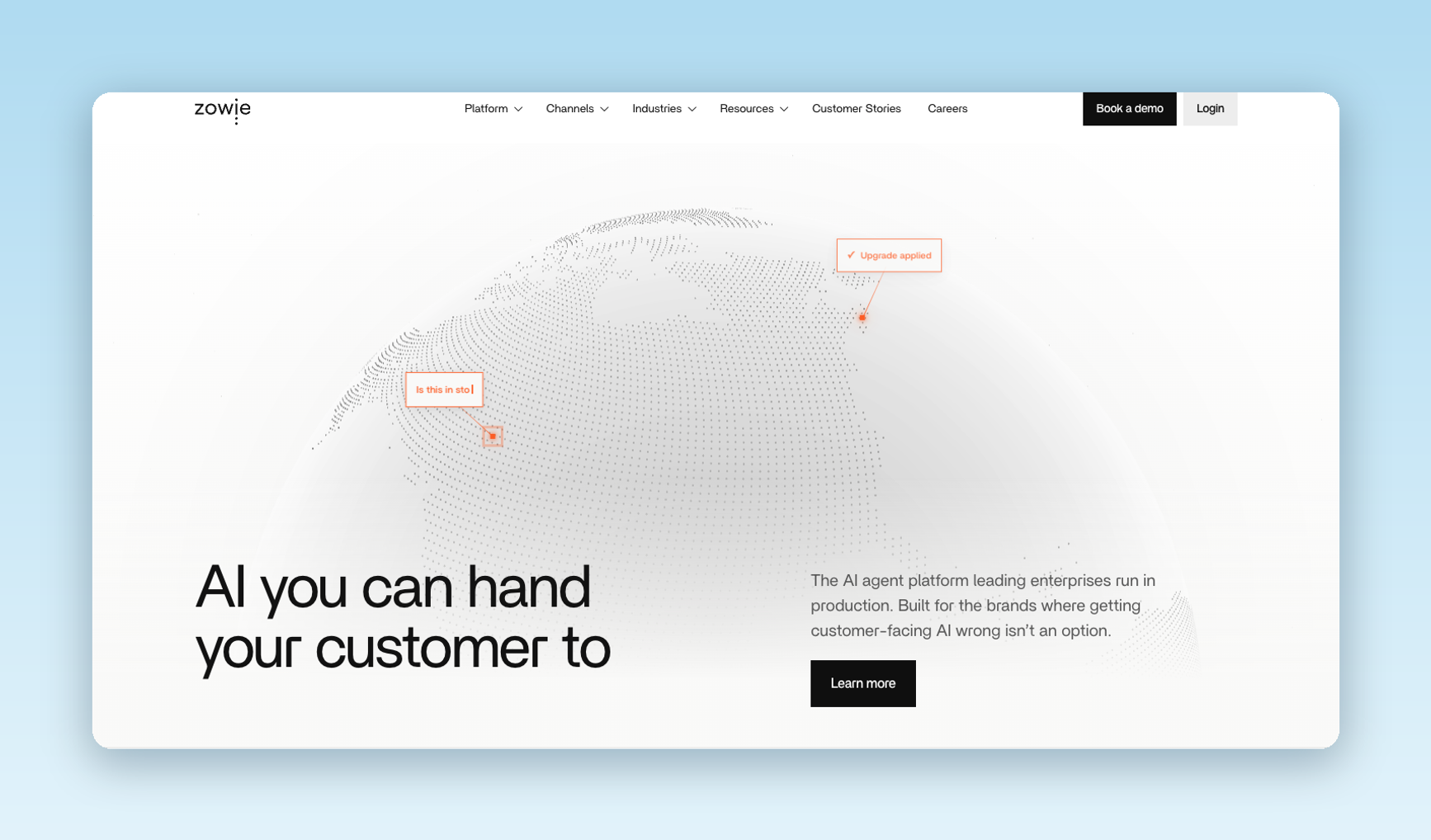
Zowie is an AI agent platform for ecommerce support. It aims to handle requests such as returns, exchanges, refunds, and tracking from start to finish.
What it can do: Zowie’s proprietary X2 engine is trained on ecommerce support interactions. The platform features three core technologies: Zowie X2 for response generation, Decision Engine for 100% accurate execution, and Reasoning Engine for contextual understanding.
Used for:
- Full workflow automation (returns, exchanges, refunds, tracking)
- Omnichannel support (chat, email, phone, social media)
- Revenue generation through proactive conversations
Data and setup: Zowie connects to Shopify and Shopify Plus. Return workflows use Loop Returns, Frate Returns, or a custom API. Both return apps need your Shopify store connected to Zowie.
Approval and handoff: You set routing by channel, queue, and working hours, and the chat context carries over to your team. Zowie can hand off to Zowie Inbox, Gorgias, Zendesk, Intercom, or Salesforce.
Pricing: Custom pricing based on business needs and volume
Limits:
- Lacks transparent public pricing
- Implementation requires initial setup time
- May be overkill for very small businesses
Ratings: G2, 4.7
Best for: Fast-scaling DTC brands, omnichannel retailers, and enterprise ecommerce businesses ready to automate more of their customer service.
Ada for multilingual support
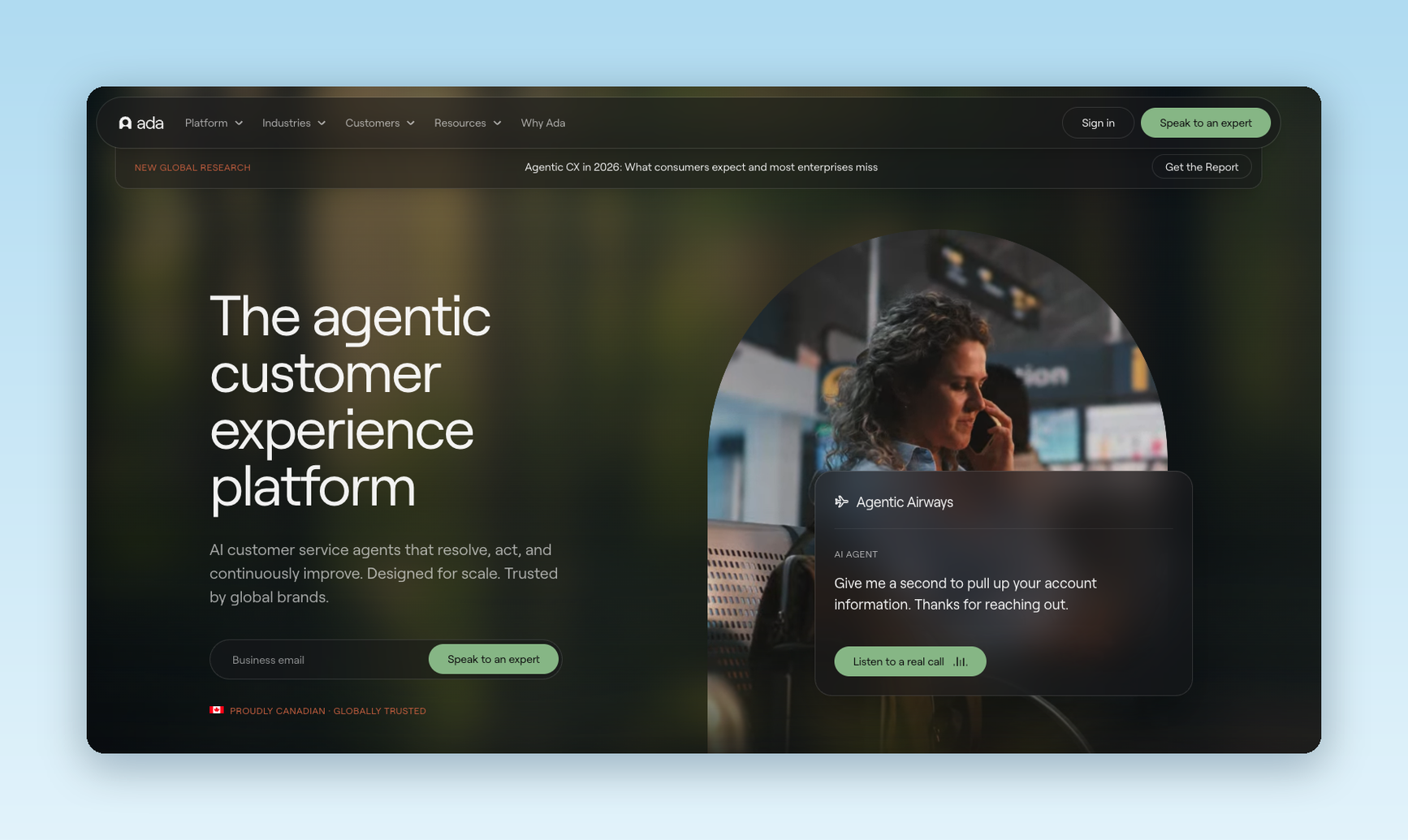
Ada provides AI agents for enterprise support teams. Its standout offering is its multi-language capabilities and ability to manage conversations across customer channels.
What it can do: Ada’s Reasoning Engine™ understands context, isolates issues, and creates action plans. The platform supports 60 languages in messaging and email, and connects to business systems so replies fit each customer. For ecommerce, it has workflows for order tracking, returns, and exchanges.
Used for:
- Global customer support in multiple languages
- Complex inquiry resolution with step-by-step guidance
- Proactive customer engagement based on behavior
- Enterprise-scale automation with advanced analytics
Data and setup: Ada connects to Shopify and Salesforce. The exact Shopify actions depend on how you set up your API Actions.
Approval and handoff: Ada picks a handoff using its name, description, and availability rules, such as channel. The handoff steps decide whether the shopper reaches live chat, a ticket, or email. Ada can add a chat summary for Zendesk, Salesforce live chat, and email handoffs. Ticket and email handoffs need a setup step to pass the summary along.
Pricing: Usage-based pricing for resolved conversations (exact pricing not publicly available)
Limits:
- No transparent pricing structure
- Can be complex for smaller businesses
- Setup may require technical expertise
Ratings: G2, 4.6
Best for: Enterprise teams that support customers in many languages
Salesforce Agentforce for connected enterprise workflows
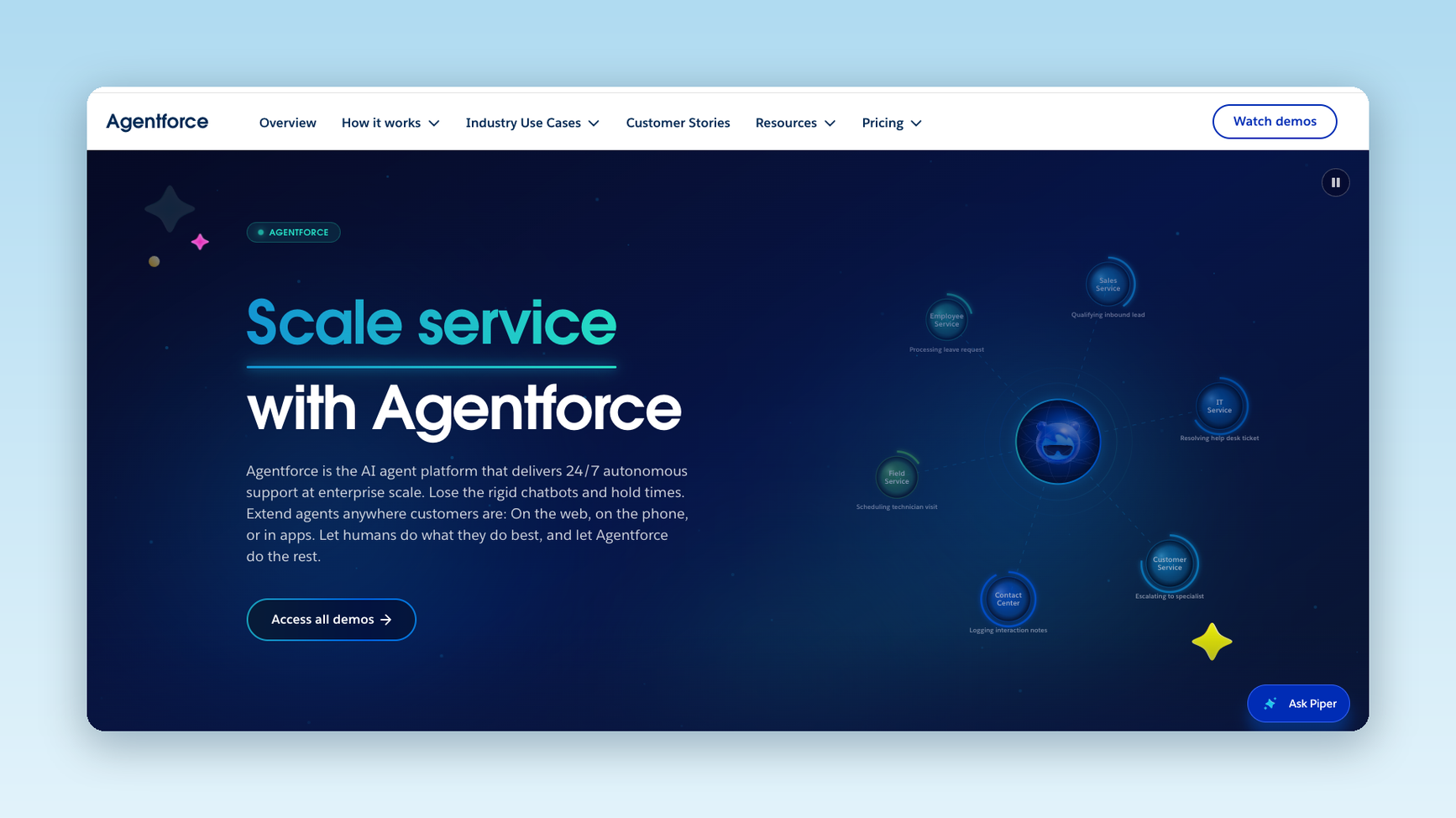
Salesforce Agentforce provides comprehensive AI agents that integrate across entire business operations, extending beyond customer service to sales, marketing, and commerce functions.
What it can do: Agentforce agents use the Atlas Reasoning Engine to run business processes and take actions across teams. In commerce, the Shopper Agent guides shoppers from product discovery through checkout and after-purchase service on a storefront.
Used for:
- Enterprise-wide process automation
- Multi-departmental workflow coordination
- Advanced business intelligence and analytics
- Large-scale customer relationship management
- Complex B2B and B2C operations
Data and setup: Agentforce runs on the Salesforce platform and needs Data 360 and Einstein generative AI turned on.
Approval and handoff: Handoff to a person is optional and requires setup. You build an Omni-Channel workflow.
Pricing: A free plan is available, followed by Flex Credits starting at $500 per 100,000 credits. Needs a Salesforce investment.
Limits:
- Higher cost and complexity
- May be excessive for ecommerce-only needs
- Requires Salesforce ecosystem investment
Best for: Large companies that already use Salesforce and need agents across several teams
Ratings: G2, 4.3
TechMonk for sales chat
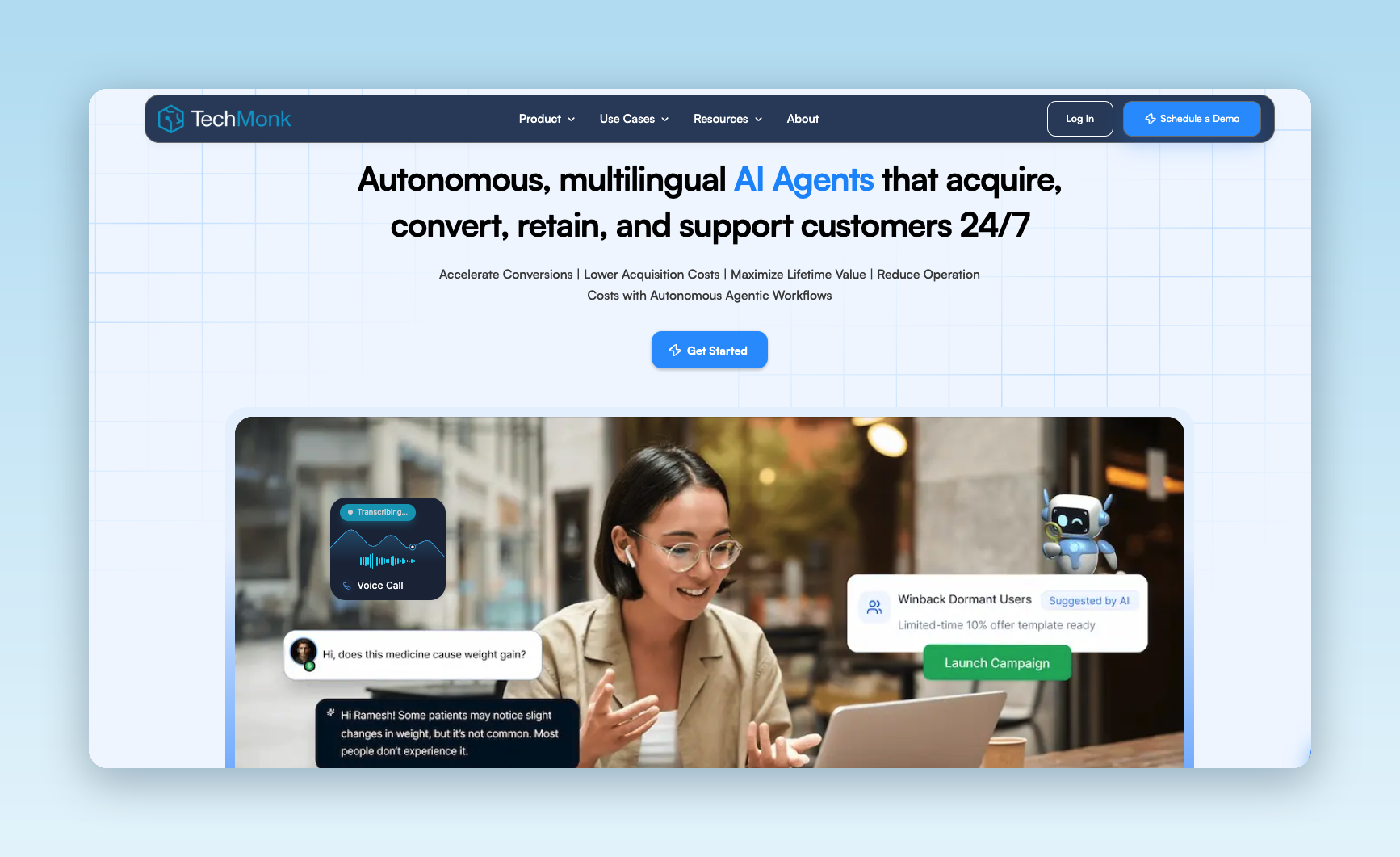
TechMonk offers specialized AI agents designed to drive ecommerce sales and improve conversion rates through intelligent customer interactions.
What it can do: TechMonk’s sales agent helps shoppers find products and answers their product questions. It suggests items, offers discounts, and follows up on abandoned carts. Its wider agents can also add items to a cart, help finish a purchase, track orders, and support shopping on WhatsApp.
Used for:
- Sales conversion optimization
- Abandoned cart recovery
- Personalized product recommendations
- Lead nurturing and customer acquisition
- Support ticket generation and management
Data and setup: TechMonk integrates seamlessly with Shopify, Zoho, Freshdesk, and Shiprocket.
Approval and handoff: Plans include a human-agent module. Human agents can take over live chats and see customer data and conversation history.
Pricing: Custom pricing based on business requirements
Limits:
- Limited public pricing information
- Newer platform with less market presence
- May require higher investment for full features
Best for: Ecommerce businesses prioritizing sales growth and conversion optimization over basic customer support.
Ratings: G2, no reviews
Glide for no-code builds
Glide offers an intuitive, user-friendly platform that allows small ecommerce businesses to build and deploy AI agents without technical expertise.
What it can do: Glide lets you build your own apps with AI. It also offers custom-built agents for tasks such as customer service and inventory monitoring.
Used for:
- Simple customer support automation
- Order management and tracking
- Basic personalized recommendations
- Customer feedback collection
- Dispute resolution management
Data and setup: Glide apps run on a data source: Glide Tables on every plan, Google Sheets on the Maker plan, and Airtable on the Business plan. Glide Agent can start an app from a prompt, a spreadsheet, or both.
Approval and handoff: Glide workflows can pause for a person. You make a loop link, send it to a reviewer, and the workflow waits for the link to be used. The default wait is 8 hours. After that, the workflow moves on without the reviewer. A Slack step can also ask a person to choose an option.
Pricing: Free plan available, followed by Basic at $25/mo (100 credits), Plus at $50/mo (250 credits), Pro at $125/mo (500 credits), and Enterprise with custom pricing.
Limits:
- Limited advanced features
- Less suitable for complex operations
- Newer platform with limited track record
Best for: Small teams that want to build their own apps and AI agents without code.
Ratings: G2, 4.7
Livex.ai for shopping personalization

Livex.ai focuses on creating highly personalized customer experiences through AI agents that adapt in real time based on customer behavior and preferences.
What it can do: Livex AI’s agents use shopper behavior, history, and intent to recommend products, guide purchases, recover carts, and help with orders.
Used for:
- Dynamic personalization across customer touchpoints
- Real-time product recommendations
- Behavioral analysis and customer insights
- Personalized marketing automation
- Enhanced customer experience optimization
Data and setup: Livex.ai connects to Shopify through its app, LiveX AI Agent, in the Shopify App Store. On other sites, you add its JavaScript embed.
Approval and handoff: When a shopper needs a person, LiveX lists handoffs to live agents and help desk ticket creation in Zendesk.
Pricing: Not publicly available
Limits:
- Cost information isn’t readily available
- Human handoff options depend on the support tools you connect
Best for: Stores that want shopper chat that uses each customer’s behavior and history.
Ratings: G2, Not available
Intercom Fin for support on your current helpdesk
Fin is Intercom’s AI agent for customer support. It can run on top of the helpdesk you already use and fits support teams that want an AI agent without moving their tickets.
What it can do: For Shopify stores, Fin looks up order status and tracking details. It can also issue refunds once you set up a Procedure, which is a list of steps for Fin to follow.
Used for:
- Order status and tracking questions on Shopify stores
- Refunds, once you set up that action and your business rules
- Multi-step support tasks that run as Procedures
- Handoff of unresolved or sensitive cases to your team
Data and setup: Connect your Shopify store to Fin and switch on the Get Order info connector so Fin can see order status and tracking. Write Procedures for jobs that take several steps and set rules for when Fin hands a chat to your team.
Approval and handoff: Fin passes a chat to your team when a customer asks for a person. You can also name topics, such as refunds, that Fin should hand to a human, using its escalation guidance and rules.
Pricing: Essential (Intercom helpdesk + Fin) is $29/mo per seat and $0.99 per outcome; Advanced Intercom helpdesk + Fin) is $85/mo per seat and $0.99 per outcome, Expert (Intercom helpdesk + Fin) is $132/mo per seat and $0.99 per outcome, and Fin AI Agent (without Intercom helpdesk) is $0.99 per outcome.
Limits:
- Charges more for additional seats
- Fin is built for support, so it doesn’t replace store and ad analytics
Ratings: G2, 4.5
Best for: Support teams that want to keep their current helpdesk.
Tidio Lyro for small Shopify teams
Lyro is the AI agent in Tidio’s chat and support tool. It fits small Shopify teams that want a lower-cost start.
What it can do: With Shopify connected, a Simple Action template checks order status. Smart Actions make API calls you set up for more advanced lookups or changes, where the other system allows them. Lyro can also recommend products from your Shopify catalog.
Used for:
- Order status questions from Shopify customers
- Custom lookups and changes through Smart Actions, where your system allows them
- Product questions and recommendations from your Shopify catalog
Data and setup: Install the Tidio app from the Shopify App Store and turn on the Tidio Chat Widget in your theme. Add Lyro's knowledge sources, activate the Check order status action, and switch Lyro on.
Approval and handoff: In Lyro's handoff settings, choose whether a chat goes to a person, stays with Lyro, or becomes a ticket. You can set this for online and offline hours. On the Growth plan, your team can also cancel and refund Shopify orders.
Pricing: Core starts at $39/mo for 50 AI conversations, Plus starts at $300/mo with custom AI conversations, and Premium has custom pricing.
Limits:
- Charged based on AI conversations
- Pricing information isn’t available for the Premium plan
- No overage information available if you go over the amount of AI conversations for your plan
Ratings: G2, 4.6
Best for: Shopify teams that want a lower-cost start with AI support.
Ecommerce workflows you can put into practice
These three scenarios show the input, the steps, the output, and the point where a person approves. Here are workflows you can implement.
1. Review a performance change
- Input: You ask, “Why did sales drop this week?”
- Steps: The agent reads store and ad data, compares two periods, and lists the areas that changed.
- Output: A short summary and the next area to check.
- Approval point: A person decides what to do next.
2. Monitor a metric on a schedule
- Input: A metric and a rule, such as “Tell me when ad spend rises and sales do not.”
- Steps: The agent checks the metric on a schedule. If the rule is met, it proposes an action.
- Output: An alert and a proposed action.
- Approval point: You review and approve the action before it runs.
3. Answer a return-status request
- Input: A shopper asks, “Where is my return?”
- Steps: The agent finds the return in your support system and your store, then reads its status.
- Output: A reply to the shopper.
- Approval point: If data is missing or the case is sensitive, the agent hands it to a person.
How to choose an ecommerce AI agent
To select the appropriate AI agent, you should carefully consider the following factors:
- Operational needs. Identify your primary pain points – are you struggling with customer support volume, low conversion rates, or operational inefficiencies? Since different agents excel in different areas, you should choose the one that addresses your most painful pain point first.
- Tech stack compatibility. Evaluate how well each AI agent integrates with your existing systems. Shopify merchants benefit most from Gorgias’s deep integration, while businesses using Salesforce infrastructure should consider Agentforce. Check for compatibility with your CRM, inventory management, and analytics tools.
- Data requirements and privacy. Consider what customer data you’re comfortable sharing and how each platform handles privacy. Enterprise solutions like Ada offer robust security features, while smaller platforms may have different data handling practices.
- Level of autonomy vs. control. Determine your comfort level with AI autonomy. Some businesses prefer to utilize agents that require human oversight, while others want full automation. Consider your team’s capacity to manage AI systems.
- Cost vs. value analysis. Look beyond initial pricing to understand the total cost of ownership. Consider implementation time, training requirements, and potential ROI for long-term value.
- Scalability. Choose an AI agent that can grow with your business. Watch for seasonal fluctuations, expansion plans, and increasing complexity as the brand grows. Enterprise solutions can handle scale more easily, but they might be overkill for younger brands.
How to start with one workflow
You don’t need to hand your whole store to an AI agent on day one. A better plan is to pick one repeat job, prove it works, and then add the next. A small start keeps risk low and shows your team how the agent behaves before the stakes rise.
Here’s how to get started:
- Choose a job. Pick a task your team repeats every day, such as order-status questions.
- Set a baseline. Write down how long the tasks take today and how often errors happen.
- Connect only the data the agent needs. Give it store and helpdesk access for that task and nothing more.
- Write the rules. List what the agent may do alone, what needs approval, and when it should pass the case to a person.
- Test with real examples. Run past requests through an agent, including odd cases and exceptions, and compare its answers with what your team sent.
- Launch to a small group first. Start with one channel or a share of requests, and have someone read the replies.
- Compare with your baseline. Check speed, accuracy, and how often the agent handed off.
- Add the next job. If the results hold, move on to returns or a weekly performance check.
Track four measures: task completion, error rate, handoff rate, and time spent per task. Then compare each result with your baseline.
Common AI agent challenges and how to mitigate them
- Data fragmentation. Many ecommerce businesses struggle with disconnected data across platforms. Choose AI agents that offer robust integrations and data unification capabilities. This is where Triple Whale excels!
- Setup complexity and resource requirements. Implementation can be overwhelming, especially for smaller teams. Prioritize platforms with strong onboarding support and no-code setup options for simple needs, or choose providers with dedicated implementation teams for complex deployments.
- Risk of over-reliance on automation. Even though automation drives efficiency, human oversight remains crucial for complex or sensitive customer interactions. Implement clear escalation procedures and keep human agents for nuanced situations that require empathy or complex problem-solving.
- Transparency. An AI system that seems like a “black box” can make businesses uncomfortable. Choose platforms that provide clear visibility into decision-making processes to reduce this risk.
- Integration and change management. Staff may resist new AI systems or struggle with changes to existing workflows. Invest in proper training, set clear expectations about AI’s role in augmenting (but not replacing) human work, and choose platforms with intuitive interfaces to minimize learning curves.
Conclusion
AI agents represent the future of ecommerce operations, as they continue to make business operations easier and more efficient. Each of the AI agents included in this blog would transform an ecommerce business’s operations, whether it is in customer service, producing websites with no coding experience necessary, or taking your business intelligence to the next level – AI agents are already everywhere, and this is only the beginning for this type of AI tool.
If you’re ready to see how AI and ecommerce go hand in hand, download The Ultimate AI Agents Playbook for Ecommerce Brands for actionable tactics!
AI agents for ecommerce: FAQs
Which AI agents are best for ecommerce, and how should you choose?
The best agent depends on the job. Moby suits merchant analytics and actions, and Gorgias, Zowie, Ada, Intercom Fin, and Tidio Lyro suit customer support. Pick one job first, then compare integrations, approval controls, and cost. Use the table above to build a short list.
How can AI agents be used in ecommerce?
Teams use them to answer order and return questions, watch sales and ad numbers, flag problems, and carry out store tasks. Most start with support or reporting because the steps are clear and the risk is low. Agents can also suggest next steps for a person to approve.
What is the difference between an AI agent and an ecommerce chatbot?
A basic chatbot answers questions from a script or a set of help articles. An AI agent can also take steps, such as looking up an order or updating a record, through connected tools. Some chatbots now have agent features, so check what the tool can really do.
What can an AI agent do for a Shopify store?
It can answer shoppers about orders and returns, help with admin tasks, and review store and ad performance. What it can do depends on the tool and how you connect it. Gorgias connects to Shopify to cancel orders and edit addresses. Zowie can run returns and refunds when Shopify and a returns tool are connected. Intercom Fin can look up Shopify orders and cancel or refund once you set up those actions.